You want a form on your website to land in your CRM, or a new row in a sheet to send an email. Search for how, and you end up choosing between Zapier and n8n. Most comparisons online come from one of the two vendors, or list every feature without telling you which one matters for a team of ten.
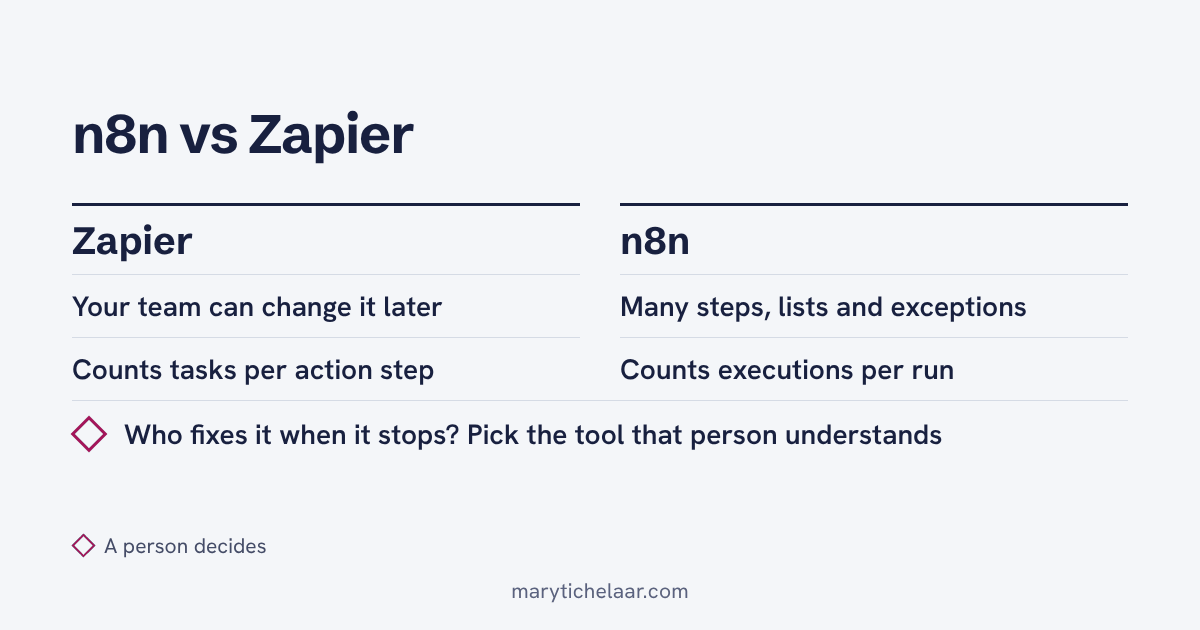
I use both, for different jobs. My short answer: pick Zapier when your team needs to read and change the automation after I hand it over. Pick n8n when the flow has many steps and someone will look after it. Below is why, and what AI is changing about this choice right now.
What both tools do
Both connect apps that don't talk to each other. You set a trigger (something happens in app A) and one or more actions (do this in app B). A new website form becomes a HubSpot contact and an email to your team, without anyone retyping it.
Where they differ is how you build, how you pay and who keeps it running.
Zapier: easy to work with, and easy to change later
A zap reads like a list: one step under the other, top to bottom. Someone who didn't build it can usually tell what it does in a few minutes.
That is my main reason to choose Zapier. When I hand over an automation, the client's team should be able to change it themselves: add a field, swap the person who gets the email, add a step. In Zapier that works even for someone who only opens it once a month. The sign-up page that does its own follow-up, which I built for a client, runs on Zapier and HubSpot.
n8n: more room, and very quick to build with Claude
n8n works on a canvas: blocks connected by lines. You can branch, loop over lists, merge data and handle errors separately. A large workflow is harder for an outsider to follow.
What makes n8n stand out for me right now is its connection with Claude. n8n has its own MCP server, which lets Claude create, edit and test workflows in your n8n account. When Claude builds it, setting up an automation can take about a minute. I still check what was built before it touches real data.
I used n8n for a Monday report on a welcome email series, pulling the numbers from HubSpot.
Does Zapier work with Claude too?
Yes, in a different way. Zapier MCP lets Claude carry out actions in your apps through Zapier, such as creating a contact or sending a message. Having Claude build the zaps themselves is, at the time of writing, only available as an early-access feature. Zapier's setup guide for Claude explains the connection. So for building, n8n with Claude is further along today. This is moving fast, so check both before you decide.
How you pay
This is where cost estimates most often go wrong.
- Zapier counts tasks. Every action step that runs successfully is one task. The trigger doesn't count, and neither do filters or paths. A zap with a trigger and three actions uses three tasks each time it runs. See Zapier's help page on tasks.
- n8n counts executions. One full run of a workflow is one execution, whether it has two steps or twenty. See the n8n pricing page.
A worked example with made-up numbers: 200 enquiries a month come in through your website. Each one goes into your CRM, gets a confirmation email and posts a message in Slack. In Zapier that is three tasks per enquiry, so 600 tasks a month. In n8n it is 200 executions. The more steps a flow has, the bigger that gap gets.
For the actual prices, check both pricing pages on the day you decide. Both change their plans regularly.
Self-hosting n8n: only if someone owns the server
You can also run n8n on your own server, which means no per-execution fee to n8n. It also means someone has to update it, secure it and notice when it goes down. For a business without its own IT people, I'd use the version n8n hosts for you.
Who fixes it when it breaks?
For a small business this matters more than any feature. Every automation breaks at some point: an app renames a field, a password expires, someone renames a column in the sheet. Who notices, and who can fix it?
- Nobody technical in the team? Choose the tool you can read yourself. That is Zapier.
- Someone who maintains it, in-house or external? Then n8n is a good choice, with more ways to handle errors.
- Either way, put the account in the company's name with a company email address, never on the builder's personal account. An automation on a personal account stops the day that person leaves.
What about Make?
Make also works on a canvas, much like n8n. I've built a few things in it, mostly with Claude's help, but I'm not a Make specialist. Make bills in credits, and the trigger counts as well; see Make's help page on credits. If your Make setup works well, that alone is no reason to switch.
When you need neither
- Your software already does it. HubSpot has built-in forms and workflows, monday.com has its own automations, and most accounting tools send payment reminders. Connecting something that is already built in is maintenance for nothing.
- It happens rarely. Retyping something ten times a year costs less than setting up and maintaining a connection.
- Everything lives in Google Workspace. If the work happens in Sheets and Gmail, Google Apps Script is often simpler: no extra subscription, and it runs in your own account. The monthly invoice checks run on Google Sheets, Gmail and Apps Script.
- The step needs judgement. An automation can prepare a decision. Build up to the point where a person looks, and stop there.
A quick way to choose
- Should your team be able to change it later without help? Zapier.
- Many steps, lists or exceptions in one flow? n8n.
- Hundreds or thousands of runs a month? Do the sum for both; with many steps per run, n8n usually comes out cheaper.
- Who will fix it when it stops? Pick the tool that person understands.
- Can your current software do it already? Then you need neither.
Frequently asked questions
Is n8n cheaper than Zapier?
For flows with many steps, usually yes, because n8n charges per full run and Zapier per action step. For a few simple automations the difference is small. Work it out with your own volumes and the current prices.
Can I use n8n or Zapier for free?
Zapier has a free plan with a limited number of tasks. n8n is free to run on your own server, but then you look after that server yourself. For anything your business relies on, a paid plan is the safer choice.
Can Claude build my automations for me?
In n8n, yes: through n8n's MCP server, Claude can create and test workflows in your account. In Zapier, Claude can run actions through Zapier MCP, and building zaps from Claude is in early access. In both cases, have someone check the result before it runs on real data.
Can I move from Zapier to n8n later?
Yes, but you rebuild everything. There is no button that turns a zap into a workflow. That is one more reason to write down what each automation does, which fields it uses and why.
Not sure which tool fits, or whether you need one at all? Book a get-to-know call. In 30 minutes we look at what you want to connect, and I'll tell you which route I would take. Or get one practical tip a week in The Monday note.