Someone built an automation, it ran for a few weeks, and then the exceptions started piling up. Half the records needed fixing by hand, and nobody could explain why the flow had five steps instead of two. If that sounds familiar, or you want to avoid it before you start, this one is for you.
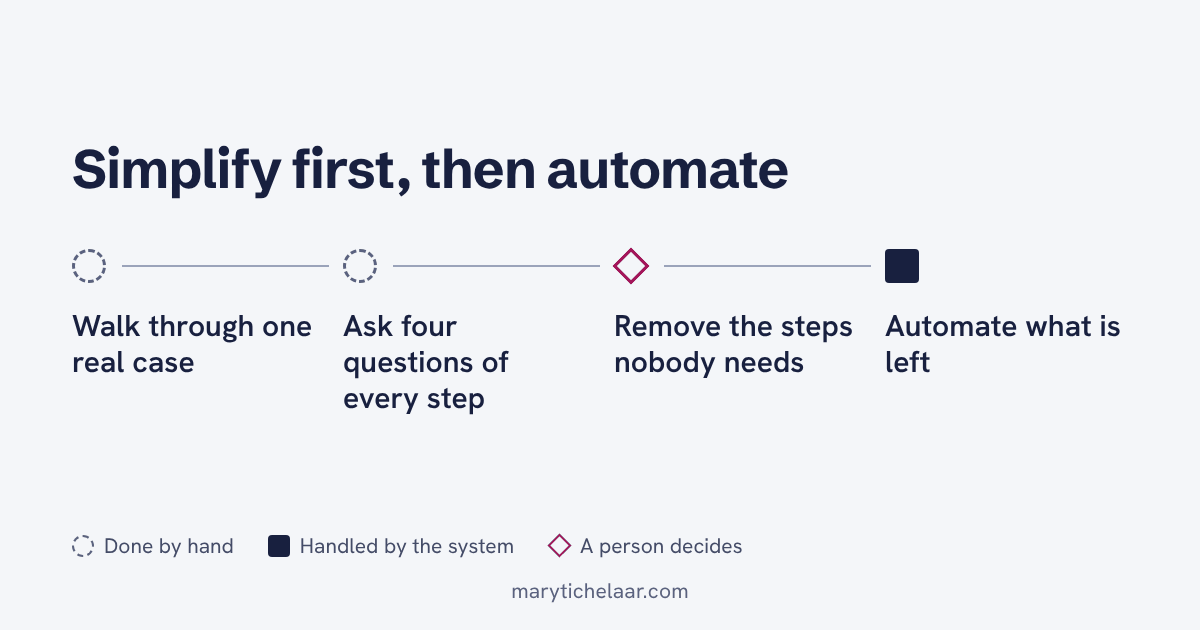
The rule I work by: before you automate a process, make it as short as it can be. Every step you remove is a step that can't break and that nobody has to explain to a new colleague.
Why automating a messy process makes it worse
A manual process has a hidden safety net. The person doing it notices when something looks odd, skips a step that doesn't apply, or picks up the phone. An automation does none of that. It follows the steps exactly, including the ones that only exist because of a problem from years ago.
So the mess moves faster. A duplicate entry that used to happen once a week now happens forty times a day. An approval that nobody needs still waits for someone to click. And the build gets complicated, because every workaround in the old process becomes a branch in the new one.
This is not a new idea. Michael Hammer wrote in 1990 that companies should stop speeding up old processes with technology and redesign the work instead. His article in the Harvard Business Review was called Reengineering work: don't automate, obliterate. He was writing for large corporations, but the point holds up well for a team of ten.
Walk through one real case
You don't need process mapping software for this. Take one recent, ordinary example of the process, such as one new client, one invoice or one support request. Then follow it from the first moment to the last.
- Write down every step in order, on paper or in a doc. Include the small ones: “Anna forwards the email to Tom”, “Tom copies the details into the sheet”.
- Note who does each step and which tool they use.
- Mark every hand-over between people or tools. Delays and mistakes collect there.
- Note how long the case took from start to finish, and how much of that was waiting.
Do this with the person who does the work. Your own idea of how it should go may be different, and that difference is worth knowing.
Four questions for every step
Go through your list and ask, for each step:
- Why does this step exist? If the answer is “we've always done it” or “because of that one time”, it is a candidate to remove.
- Who uses the result? A report that nobody opens, a field nobody reads, a copy saved in case it is ever needed: stop producing it and see if anyone notices.
- Could this happen once instead of twice? Typing the same client details into the CRM, the invoicing tool and a spreadsheet is three steps doing one job.
- Could the information arrive in the right place to begin with? Many copy steps exist because information comes in by email and has to be moved somewhere else.
That last question can remove the most work, because it takes away the reason for the copy step.
An example of removing a step
For one client, requests from their own customers came in by email. Someone had to copy each one into monday.com, the board was hard to keep up to date, and customers kept emailing to ask for updates.
Forwarding those emails into monday.com automatically would have kept the messy emails with missing details, and customers would still not know the status.
So we changed where the request starts. Customers now log in to a portal with a link sent to their work email, submit their request there with screenshots or files, and it appears in monday.com straight away. The team replies from the portal, and the customer sees the status without having to ask. The copy step disappeared. You can see the steps on the service portal project page.
What simplifying looks like in practice
Some illustrative examples of changes this exercise can lead to:
- An approval that needs two people becomes an approval by one, with the second person informed afterwards.
- Three spreadsheets that track the same projects become one, and the others are archived.
- A weekly report that takes two hours to compile is cut to the four numbers someone acts on.
- A form gets the two fields that were always missing, so nobody has to email the client back.
- A “check everything” step becomes “check the exceptions”, because most cases are fine.
None of these needs a new tool. Some of them remove the reason you wanted to automate in the first place.
When the simplified process is enough
After this exercise, ask again whether automation is still needed. Sometimes the answer is no. If the process now has three steps, happens twice a month and takes ten minutes, a clear checklist does the job.
Automation makes sense when the simplified process still runs often, still takes real time, and follows the same steps every time. Then mark each remaining step: done by hand, handled by the system, or a person decides. Build only the steps the system should handle, and keep a clear point where a person checks what matters.
Write it down before you build
This is the step that gets skipped most: describe the new process in plain words on one page. Who does what, in which tool, and what happens with exceptions. Run it by hand for a week or two using that page. If it holds up, it is ready to automate. If people keep falling back to the old way, you have learned something before spending money on a build.
That page also becomes the start of the documentation for whatever you build next, which is what keeps it working after handover.
Frequently asked questions
What does “don't automate a bad process” mean?
It means that automation repeats whatever steps you give it, including unnecessary ones and workarounds. If the process is slow or error-prone by hand, the automated version is usually fragile and hard to change. Remove steps first, then automate what is left.
How do I know if my process is too messy to automate?
Try to describe it in ten lines or fewer. If you can't, or if the description depends on “it depends” at several points, it needs simplifying. Another sign: two people on your team describe the same process differently.
How long does it take to simplify a process?
For one process in a small team, following one real case and asking the four questions can be done in an afternoon. Running the new version by hand for a week or two before you build anything is worth the wait.
Do I need process mapping software?
No. A list of steps in a document or a row of cards on a table works fine for a team of five to 25 people. What matters is that you follow a real case with the person who does the work.
Want help looking at one of your processes? Book a get-to-know call and tell me which one keeps going wrong. Or get one practical tip a week in The Monday note.