Ask the owner of a 12-person business what annoys them about admin and you get twenty things in a minute. Someone has mentioned Zapier, someone else has a nephew who “does automations”. What is missing is a way to decide which one to tackle first.
The short answer: start with the task that happens often, takes real time, costs money when it goes wrong and follows the same steps every time. Below is a scoring method for making that choice, a worked example, and the tasks I would leave alone for now.
Why most “what to automate” lists don't help
Search for this question and you get lists: automate your invoices, your social media, your onboarding, your email. Some of them may fit you. None of them know your business. A list cannot tell you that your invoicing runs fine while your team spends four hours a week copying enquiries from one inbox into a spreadsheet.
The first useful step is to find out where your own time goes. That takes a week of notes from your team.
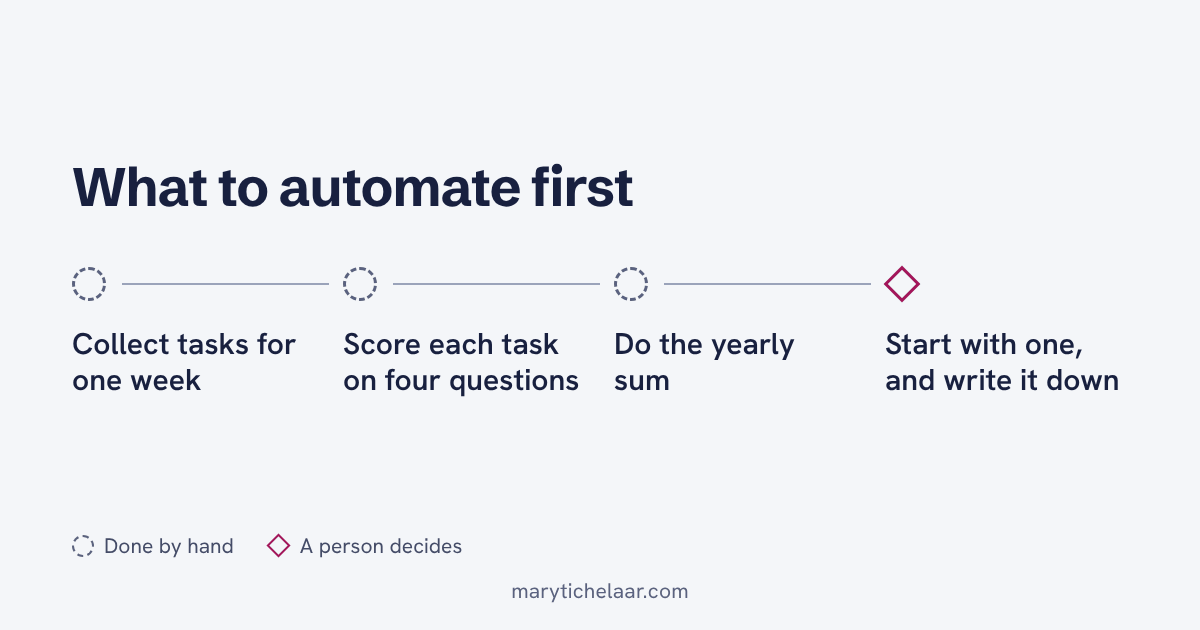
Step 1: collect the candidates for one week
Ask everyone on the team to keep a simple note for five working days. Every time they do something repetitive, they write down:
- what the task was
- how long it took
- where the information came from and where it went
Keep it rough. “Copied three web enquiries into the CRM, 15 min, from the info@ inbox” is enough. At the end of the week you will have a list that is closer to the truth than anything you could write from memory. It may also show work you didn't know about, such as something one person does quietly every day.
Step 2: score each task on four questions
Give each task a score from 1 to 3 on each question.
- How often does it happen? Yearly or quarterly is 1, monthly is 2, weekly or daily is 3.
- How much time does each run take? Under 10 minutes is 1, up to an hour is 2, more than an hour is 3.
- What does a mistake cost? A small annoyance is 1, rework or an awkward email to a client is 2, lost money or a lost client is 3.
- Does it follow the same steps every time? Different every time is 1, mostly the same with some exceptions is 2, always the same is 3.
Add up the first three questions. Then use the fourth as a gate: anything that scores 1 on stability does not get automated yet, however high its total. A task that changes every time needs a clearer process first, and automating it will only give you a fragile build that breaks on the first exception.
Step 3: work through an example
An illustrative example for a 12-person service business. The tasks and scores are made up.
- Checking incoming invoices against what you expected. Monthly (2), takes several hours (3), a missed invoice means missed income (3), same steps every month (3). Total 8, passes the gate.
- Copying web enquiries into the CRM. Daily (3), 5 minutes each time (1), a forgotten lead is a lost client (3), always the same (3). Total 7, passes the gate.
- Writing proposals. Weekly (3), two hours each (3), a weak proposal loses the deal (3), different every time (1). Total 9, but it fails the gate.
- Ordering office supplies. Monthly (2), 10 minutes (1), low cost of mistakes (1). Total 4. Leave it.
The proposal has the highest total, and that is the trap. It feels like the biggest win, and it depends on judgement. Make it easier instead, with a good template and a folder of past proposals. The invoice check and the enquiry flow are where automation pays off first.
Step 4: do the yearly sum
Before you build anything, multiply. For example, a task that takes 15 minutes a day, five days a week, for 46 working weeks adds up to about 57 hours a year. That number helps you decide how much the build and its upkeep are worth. The webcomic xkcd has a well-known chart of how long you can spend automating a routine task before it stops paying off. It is a joke, but the maths is sound.
Remember to count upkeep. Every automation needs someone to notice when it stops working, and tools charge a monthly fee. A build that saves 10 hours a year and needs an hour of attention every month is not worth it.
What not to automate yet
Some tasks score well on paper but should wait.
- A process that is still changing. If you are rethinking your pricing or your service, wait until the new way has run for a few months.
- Tasks where the judgement is the job. Deciding which client gets priority, or how to word a difficult email, belongs with a person. Automation can bring the information together; a person decides.
- Things that happen twice a year. A written checklist is cheaper and easier to keep up to date than an automation that nobody remembers how to fix.
- Work that runs on messy data. If client names are spelled three ways in three systems, automating the hand-off spreads the mess faster. Clean the data first.
- Anything only one person understands. If the process lives in someone's head, write it down before you build. Otherwise you automate one person's habits, including the workarounds.
Look at the process before you pick a tool
When a task comes out on top, I don't start with Zapier or n8n. I follow one real case from start to finish and write down every step and every hand-over. Sometimes a step can go entirely: a report nobody reads, a double check that exists because of one mistake years ago, or a copy step that disappears once the information is entered in the right place.
Then I mark each remaining step: done by hand, handled by the system, or a person decides. Only the middle group gets automated.
For a B2B service company I worked with, the monthly invoice check came out on top. Every month someone made a new list by hand of the invoices that should come in, then checked each incoming invoice against it, line by line. Now a new sheet is created each month with the invoices to expect, invoice emails are processed into it, and a dashboard shows what is missing. A person only checks the exceptions. The manual check now takes about 10% of the time it used to. You can read how it fits together on the invoice checks project page.
Start with one, and write it down
Pick the one task with the highest score that passes the gate. Build it, run it for a month, and fix what breaks. Then write down in plain words what it does, what triggers it, which accounts it uses and what to do when it stops. That page is what keeps the automation working after the person who built it has moved on to other things.
Only then move to the second task on your list. You can see more examples of first projects on my projects overview.
Frequently asked questions
What is the easiest thing to automate in a small business?
Usually a hand-off between two tools that happens every day, such as a web form that should create a contact in your CRM and send a confirmation email. It follows the same steps every time and most tools connect to it out of the box.
How do I know if a task is worth automating?
Multiply the time it takes by how often it happens over a year, and compare that with what the build and upkeep cost. If the task also costs money when it goes wrong, it moves up the list. If its steps change every time, it moves down.
Should I automate or hire an assistant?
It depends on the task. Repetitive, rule-based work suits automation. Work that needs judgement, phone calls or relationships suits a person. Many teams do both: an assistant handles the exceptions that the automation flags.
Which tool should I start with?
Start with what you already pay for. HubSpot, monday.com, Google Workspace and most accounting tools have built-in automations. Add a tool like Zapier or n8n only when the job crosses between systems that don't connect on their own.
If you would like a second pair of eyes on your own list, book a get-to-know call. Thirty minutes, no strings. Or get one practical tip a week in The Monday note.