You know time leaks out of your week. Someone retypes the same details into two systems, the Monday numbers take an hour to pull together, and an enquiry sat in an inbox for four days last month. What you don't have is an afternoon to work out where to start.
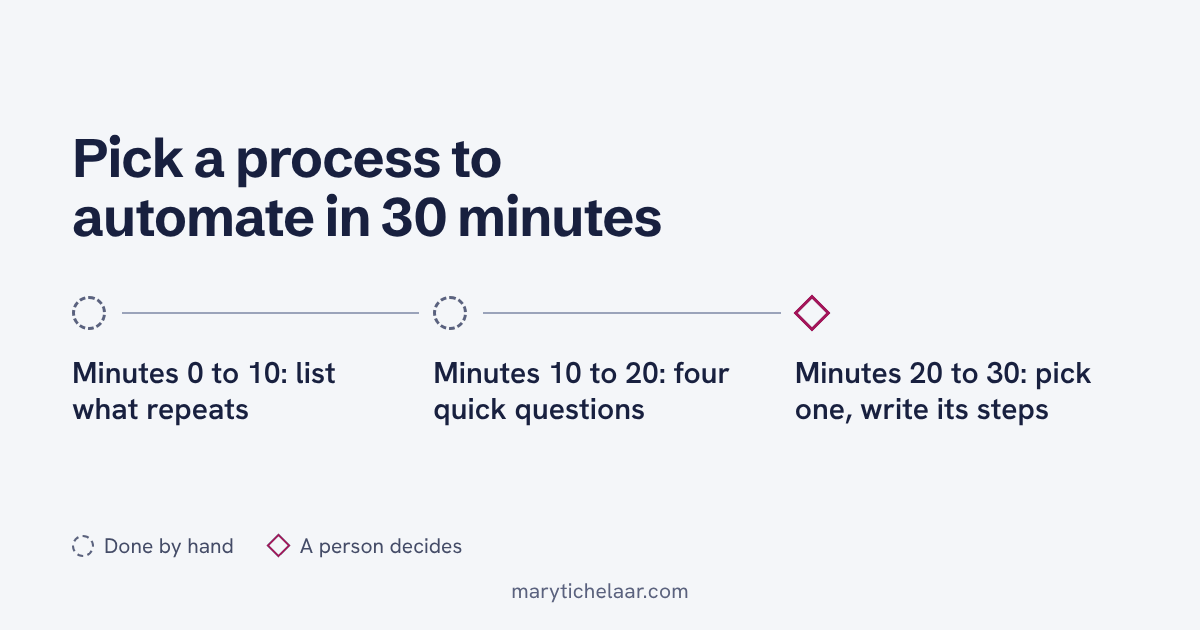
This article is a 30-minute exercise. Do it with a pen and a cup of coffee, ideally with one person from your team, and you end with one process worth automating and a first list of its steps.
Before you start
You need three things: your calendar for the last month, a blank page, and a timer. Bring the person who does most of the admin, because they know steps you have never seen.
If you'd rather measure for a week first, my article on what to automate first explains how to log tasks and score them in more detail. This exercise is the short version for when you want an answer today.
Minutes 0 to 10: list what repeats
Write down every task that comes back at least once a month and that someone does by hand. Use the calendar to jog your memory: the Monday meeting needs numbers, month end needs invoices, every new client needs a folder.
Don't judge yet. Write the tasks the way you would say them out loud: “copy hours into invoices”, not “billing process”.
Minutes 10 to 20: four quick questions
Go down the list and give each task 1, 2 or 3 points on four questions.
- How often? 1 = a few times a year, 2 = monthly, 3 = weekly or more.
- How long each time? 1 = a few minutes, 2 = half an hour to an hour, 3 = more than an hour.
- What does a mistake cost? 1 = annoying, 2 = extra work or an irritated client, 3 = lost income or a wrong invoice.
- Is it the same every time? 1 = different every time, 2 = mostly the same, 3 = always the same steps.
The last question carries the most weight. If a task changes every time, an automation handles half the cases and someone ends up checking everything anyway. Cross out anything that scores 1 there.
What that looks like
A made-up example from a 12-person consultancy:
- Copying hours from the time tracker into invoices: monthly, about three hours, mistakes mean wrong invoices, same steps every month. 2 + 3 + 3 + 3 = 11.
- Sending a welcome email to a new client: a few times a month, ten minutes, a forgotten email is annoying, almost the same text every time. 2 + 1 + 1 + 3 = 7.
- Writing a quote: weekly, an hour, mistakes sometimes lose a job, but every quote is different. 3 + 2 + 3 + 1 = 9.
The quote scores well but drops out on the last question. A better template helps more there than any automation. The hours-to-invoices task is the one to start with.
Minutes 20 to 30: pick one and write its steps
Take the highest score that survived. Write down every step as it happens today: who does it, in which system, and where the information goes next. Small steps count, like “download the PDF” or “check the client's email for the PO number”.
Then ask of each step: would anyone notice if we stopped doing this? Most processes have a step that made sense once and adds nothing now. A step you remove is a step nobody has to build.
That page is your starting point. It shows where the process can be simpler before anything is automated.
What tends to score high
Some examples from my own projects:
- Checking invoices. At one client, someone built a list of expected invoices by hand every month and then checked each invoice against it, line by line. Now a sheet lists what is expected each month, invoice emails are processed as they arrive, and a person only looks at the exceptions. That check takes about 10% of the time it used to. See the monthly invoice checks.
- Following up sign-ups and enquiries. A form that lands in one person's inbox gets forgotten. See the sign-up page that does its own follow-up.
- Collecting numbers. If someone opens four tools every week to answer one question, that is a good candidate. See the pipeline dashboard.
- Getting client requests out of the inbox. If emails are retyped onto a task board, that can usually change. See the service portal.
When the answer is “not yet”
Sometimes the exercise shows that nothing should be automated yet. I say so on a call too, because an automation nobody trusts is back to manual within a few weeks.
- Two people do it two ways. Agree on one way first, then build.
- It happens twice a year. A good checklist beats a connection you have to maintain.
- The data is a mess. If client details differ across three systems, automation only spreads the mistakes faster. Clean up first.
- It needs judgement. Handling a complaint or setting a price stays with a person. You can prepare the information, not the decision.
- Nobody will own it. Every automation breaks at some point, for example when a tool changes. Without an owner it stays broken until someone happens to notice.
After the 30 minutes
With one process and its steps on paper, the next part takes longer, and goes in this order:
- Choose the simplest way that works. Sometimes that is a better template or a feature in a tool you already pay for. Sometimes it is a connection in Zapier, n8n or Google Apps Script.
- Decide where a person decides. Let the system collect, sort and prepare. Let a person handle the exceptions and the decisions.
- Write it down. What it does, where it runs, what to do when it stops. That way it keeps working when the person who built it is away.
- Name an owner. One person who gets the alert when something fails, and who checks once a month that it still runs.
Run the first one for a few weeks before you start on the second. You learn more from that first process than from any plan.
Frequently asked questions
Which business processes are easiest to automate?
Tasks that come back often and follow the same steps each time: moving data between systems, checking invoices, following up enquiries, sending reminders and recurring reports. Tasks that need judgement can be prepared but not handed over.
How much time can automation save a small team?
It depends on the task. Work it out for your own situation: how often it happens, how long it takes and how much of it stays with a person. With the invoice check above, it came to about 90% less time, because only the exceptions are still checked by hand.
Do I need a developer to automate a process?
Usually not. Zapier and n8n work without code, and many accounting tools and CRMs have automations built in. What you do need is someone who looks at the process before anything is built, and writes it down so it keeps working.
What is the difference between digitising and automating?
Digitising moves work from paper into a system, like putting a form online. Automating means the system then does the next step itself, for example sending a confirmation and adding the enquiry to your CRM.
Want a second pair of eyes on the process you picked? Book a get-to-know call. 30 minutes, no strings, and I'll tell you whether it is worth automating. Or get one practical tip a week in The Monday note.